“Architects think so much about space that they forget about time.”

Brett Steele, director of the Architectural Association, London, in an end-of-year address

Know where your hours go, and when you need the next project.

The only app that answers the 3 questions you need answered to run your practice sustainably.

Launch offer: +30 additional days free when you add a card. Students 100% FREE.

01Hours

Where do my hours go?

Every phase fills with the hours you log, from the timer or typed in afterwards. Give a phase its hours, or let it run.

Every phase has pauses you can’t control: the client’s review, the council’s approval. Now at least you can foresee them.

02Target

Am I on target or not?

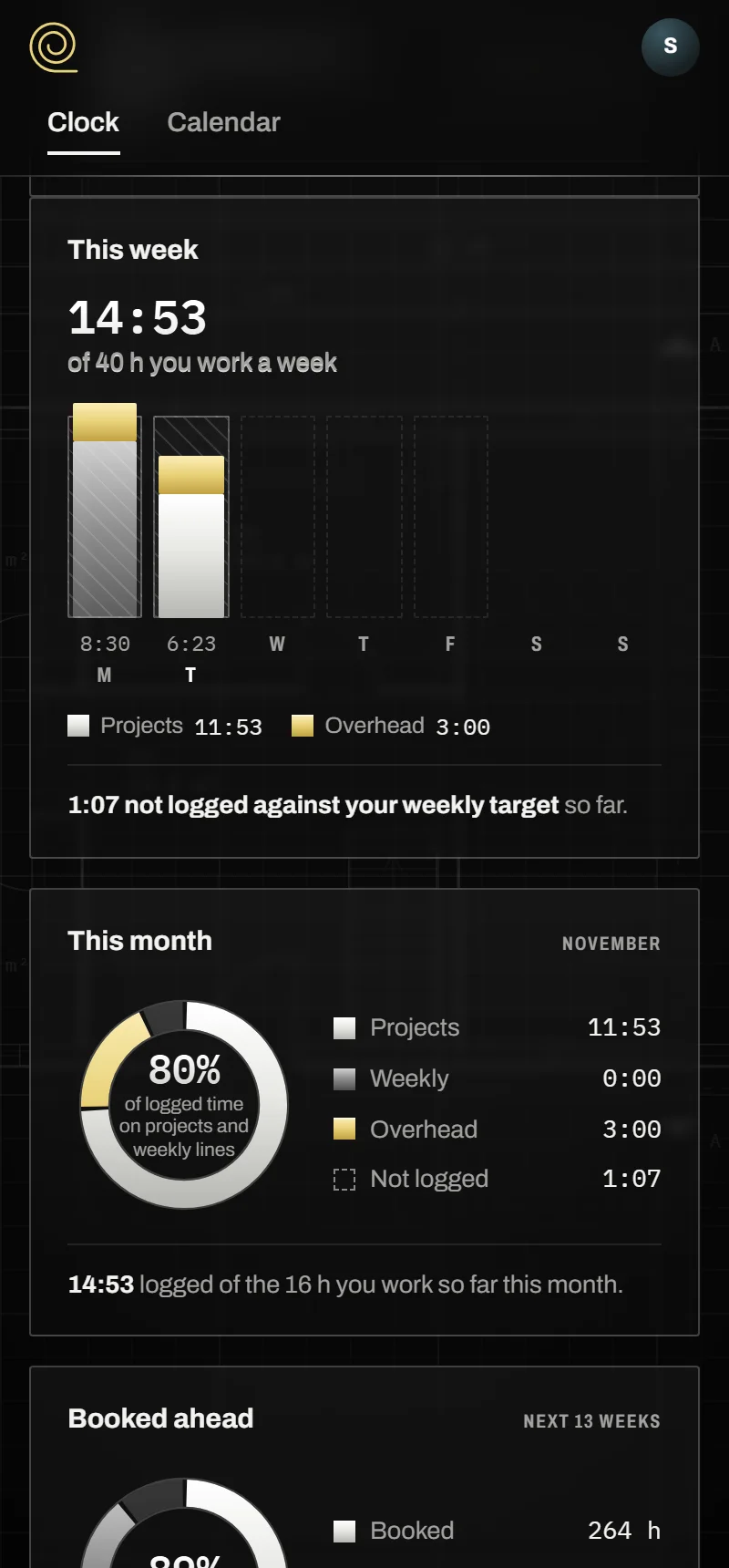
A phase is marked the moment it goes past its hours. Say how many hours you work, and each week tells you what’s logged, and what’s not, against your weekly target.

03Forecast

Am I fully booked or not?

Your projects, their pauses counted, laid over the hours you work for the next three months: how much of that time is booked, and the first day you’re free for a new project. Thinking of taking one on? You get its estimated completion.

Price

$9 a seat, a month

The base roll and every roll but Studio, included: Calendar, Projects, Contacts and your country’s. Or $90 a year. The Studio roll, for a team, adds $9 a month for the studio. Tax extra where it applies. 30 days free. Launch offer: +30 additional days free when you add a card. Students 100% FREE.

Made by Pedro Augspach, architect, from the tracker he runs his own office on.
Features

What else Traceroll does

Rolls

Start with the base. Add a roll when you need it.

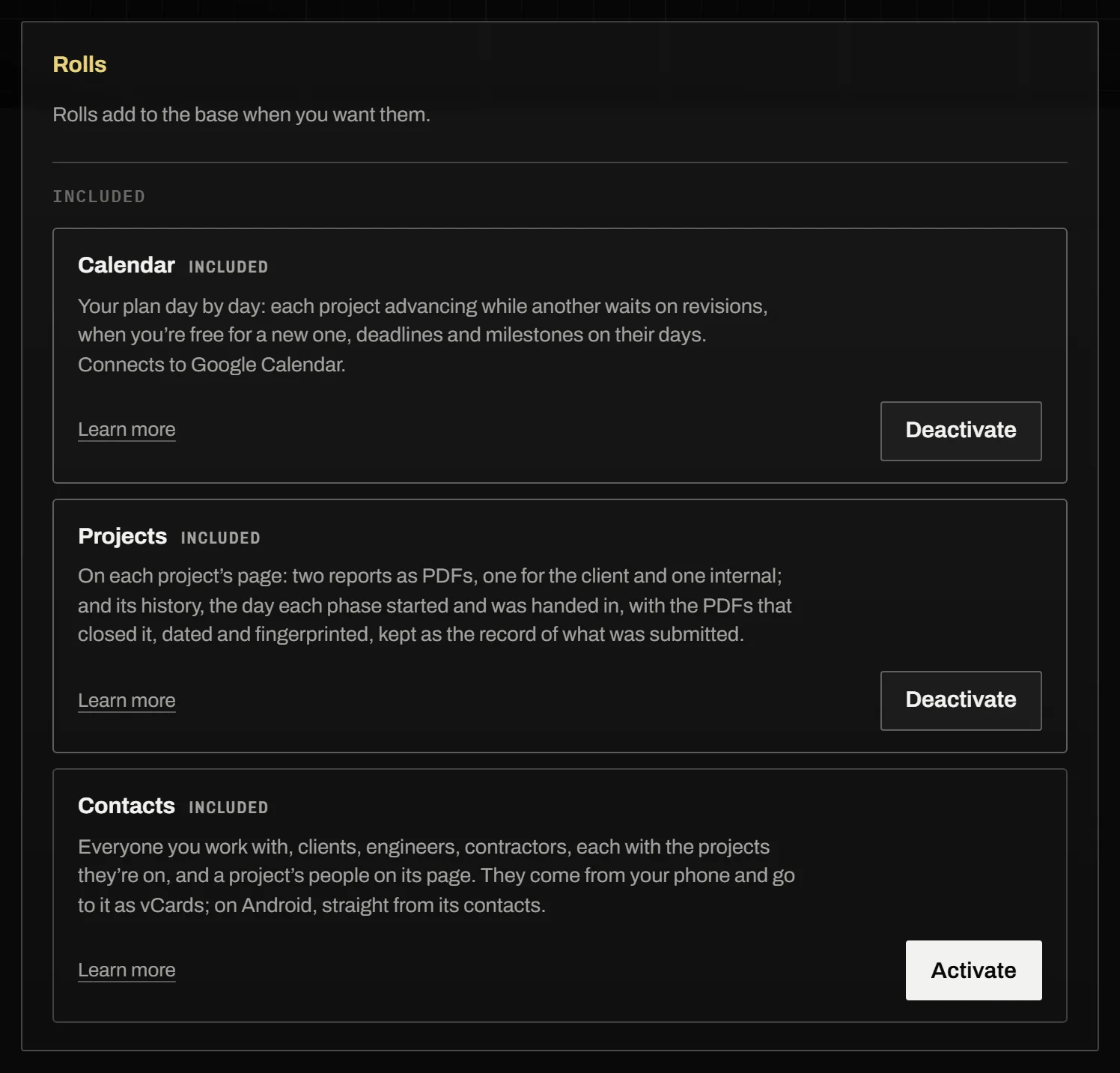
Traceroll is built on simplicity. As your requirements evolve you add a new roll, like rolls of trace laid one over another as a project matures. The base roll (projects, phases and hours for one person) is the one you start with. The Calendar, Projects and Contacts rolls, and your country’s, are included in the price, and you can add them whenever you’re ready. The Studio roll allows you to work on a team.

See the rolls

The Rolls panel in Traceroll’s settings

Documents

The documents that close a phase, fingerprinted

When a phase ends, log the PDF that closes it. Traceroll dates it as it arrives and gives it a digital fingerprint from its own contents, so it can’t be changed or swapped without it showing. Everyone is held to what was actually submitted.

A project’s history: the permit phase handed in, its PDF dated, fingerprinted and locked

Your AI

Your AI, connected

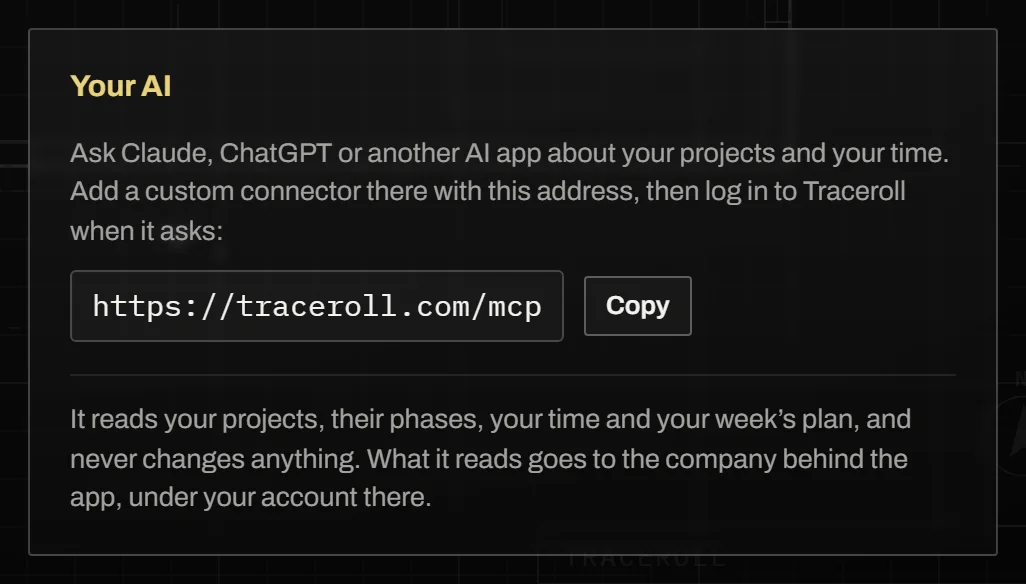
Ask Claude, ChatGPT or another AI app about your projects and your time: “How many hours went into the Hillside House last month, by phase?”, “How did this week go against my plan?” In the app, add a custom connector with the address traceroll.com/mcp, log in to Traceroll and say yes. It reads your projects, their phases, your time and your week’s plan, and never changes anything. Settings → Your AI.

The Your AI panel in Traceroll’s settings, with the connector’s address

Blocks

Work in blocks

Your plan gives a project whole days or half days rather than a slice of every day, and puts weekly lines in the fewest, biggest blocks: 1.5 h at least. Only overhead is spread. The Calendar, the forecast and Google Calendar follow.

The Calendar by the week: each day given to one or two projects, overhead in yellow

Plan

The week’s plan in three parts

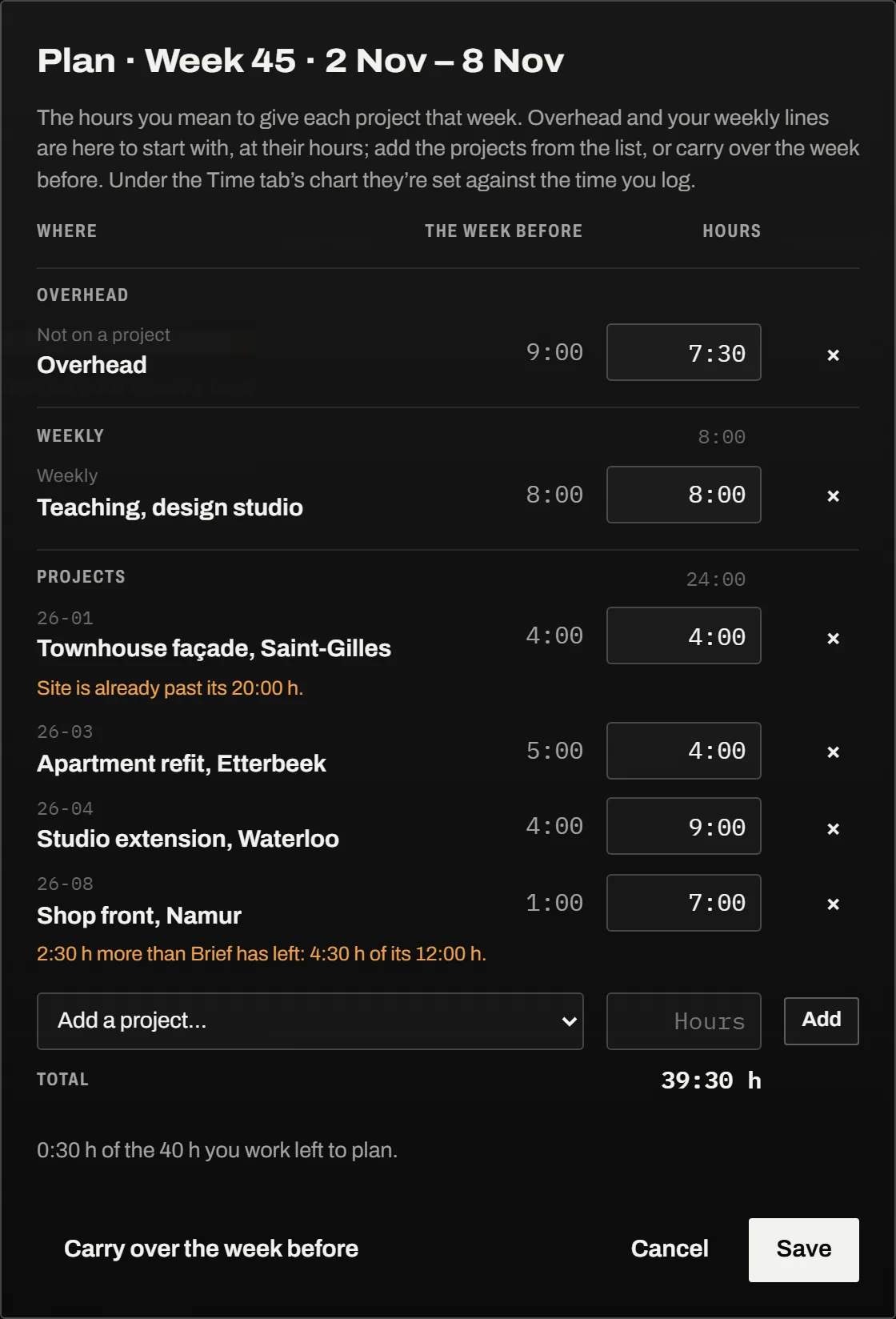
Overhead, weekly lines and projects, each under its own head; the overhead and the weekly lines come filled in with their hours.

The week’s plan: overhead, weekly lines and projects, each under its head

Desktop appComing soon

Traceroll for Windows

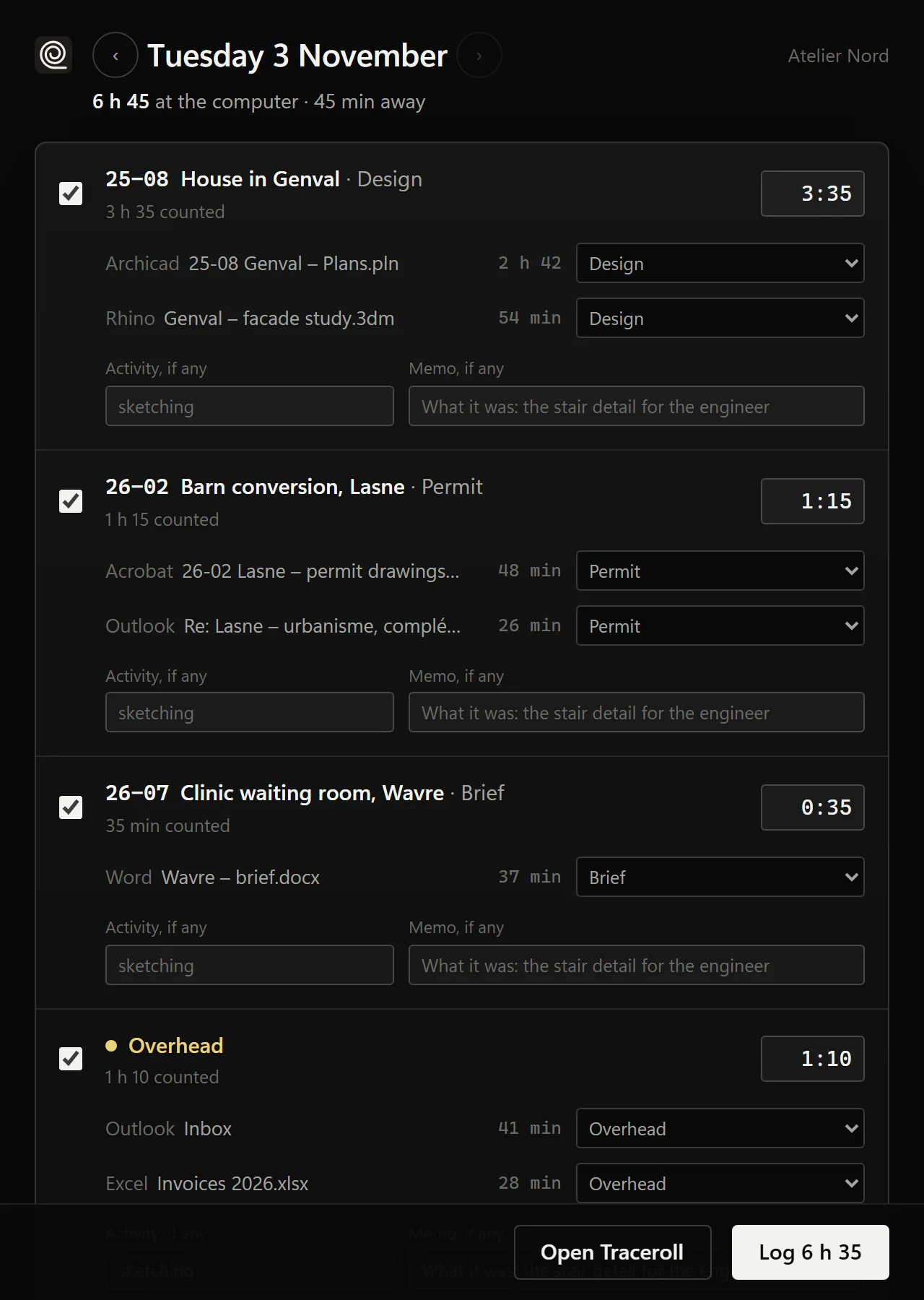
An icon by the clock counts the time each window is in front: Archicad, Rhino, email, a PDF. At six in the evening it asks where the day went, sorted by project from the files’ names and codes, and logs what you accept. Window titles stay on your computer; Traceroll only gets the time you log.

Traceroll for Windows asking where the day went, sorted by project

Mobile appComing soon to the App Store and Google Play

Traceroll on your phone

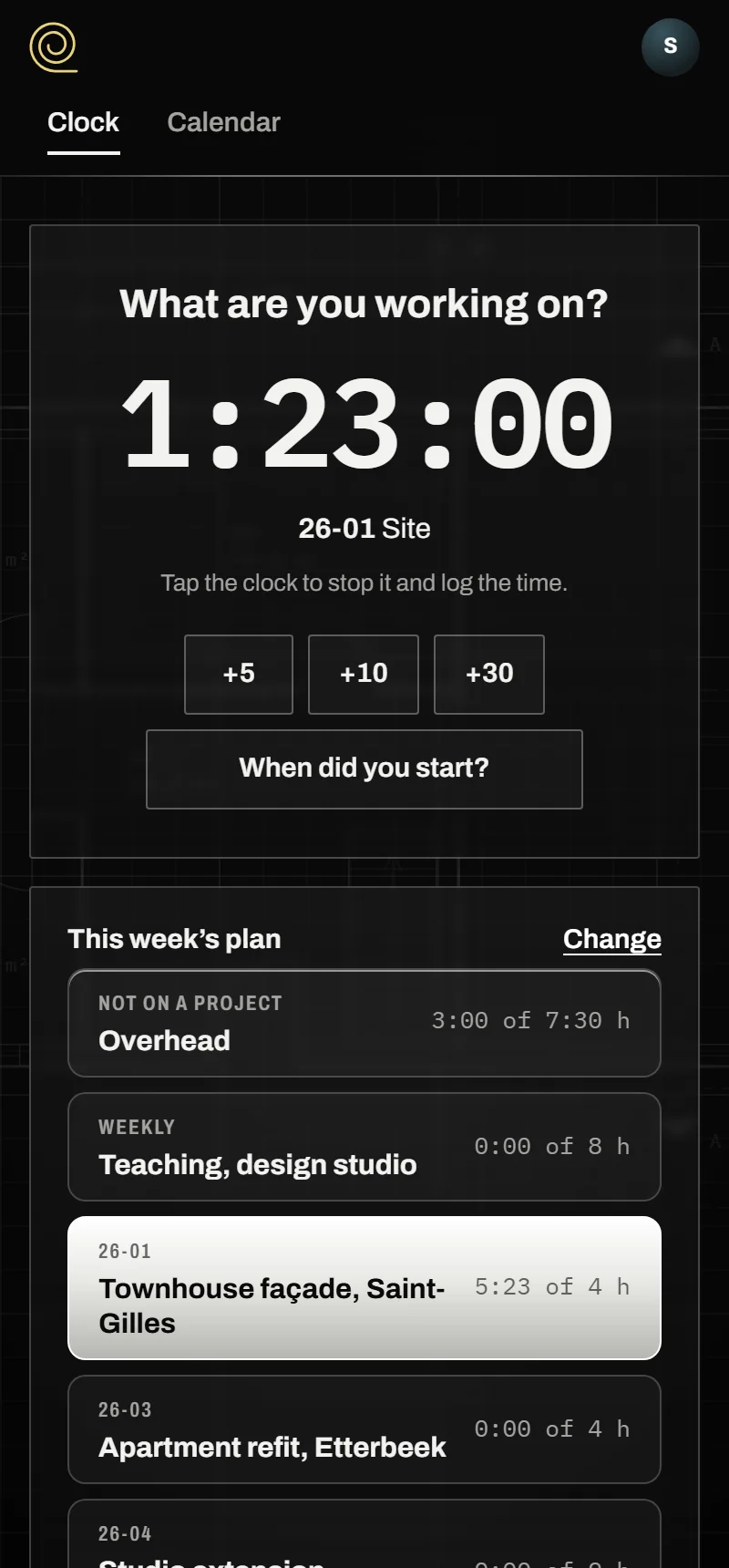
For iPhone and Android: it opens on a clock that asks what you’re working on. A tap starts it, another logs the time; this week’s plan sits under it, then your week, your month and what’s booked ahead. The same account as on the web.