Rolls/Included

What it adds

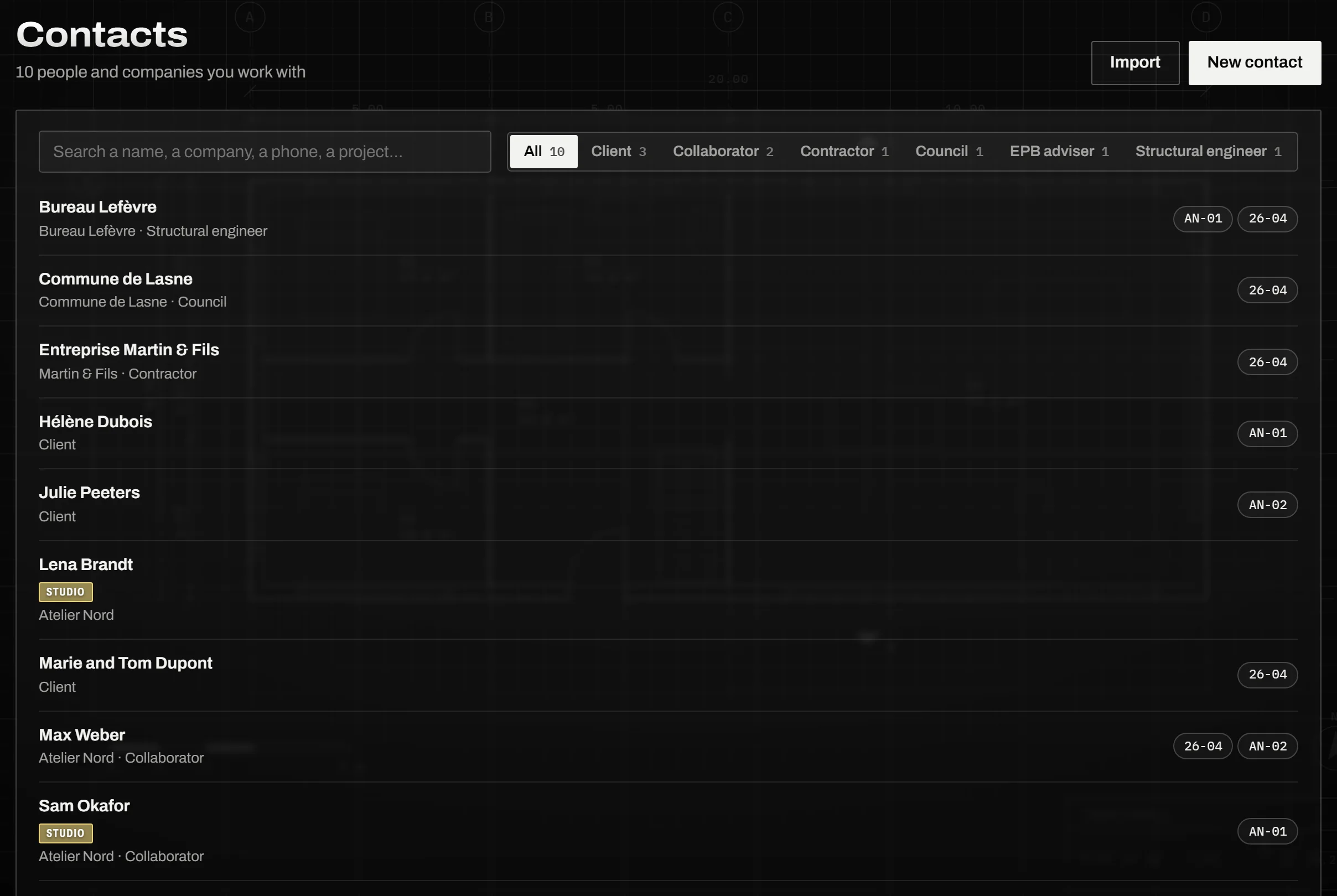
A contact

A name, and what you know

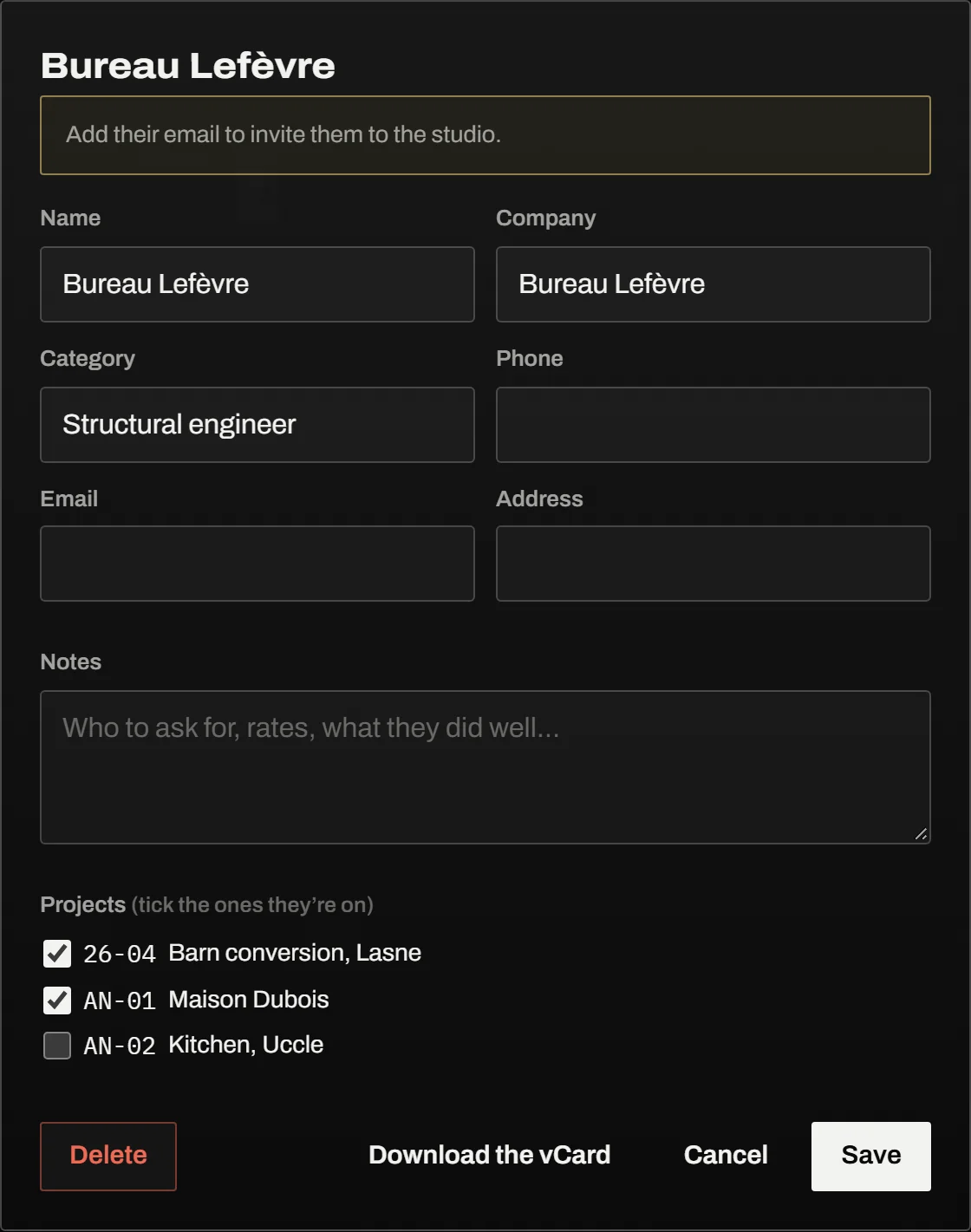
The company, a category in your own words, a phone, an email, the address, notes, and the projects they’re on. No ready-made list of categories: the ones you type become your choices.

A contact’s card: name, company, category, phone, email, address, notes and the projects they’re on

Your phone

From your phone, and back to it

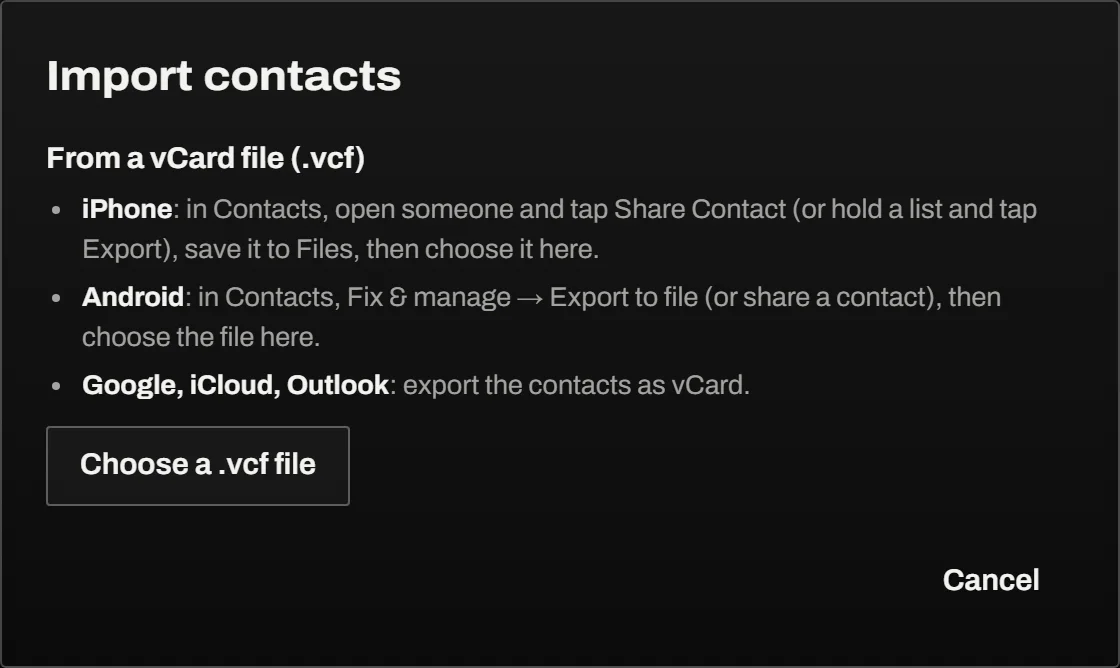
Bring people in from an iPhone or an Android phone as vCards, one person or a whole address book, and send them back the same way. Whatever has no field here goes into the notes, so nothing is lost on the way in.

Import contacts from a vCard file, from an iPhone, an Android phone, Google, iCloud or Outlook

How to add it

In Settings, when you’re ready

  1. Open Settings → Rolls.
  2. Contacts, under Included: Activate. A Contacts tab appears.
  3. Bring your people in from your phone, or add them one by one, then tick them on their projects.

Take it off the same way: Deactivate. What it kept stays, for when you add it again.

Price

$9 a seat, a month

The base roll and every roll but Studio, included: Calendar, Projects, Contacts and your country’s. Or $90 a year. The Studio roll, for a team, adds $9 a month for the studio. Tax extra where it applies. 30 days free. Launch offer: +30 additional days free when you add a card. Students 100% FREE.

Rolls

The other rolls

All the rolls